
Gale Digital Scholar Lab provides a straightforward pathway for researchers and students who wish to draw the results of their work in the Lab into a space that provides a structured environment for creating a Project narrative, which can then be exported in a submission- or presentation-ready format.
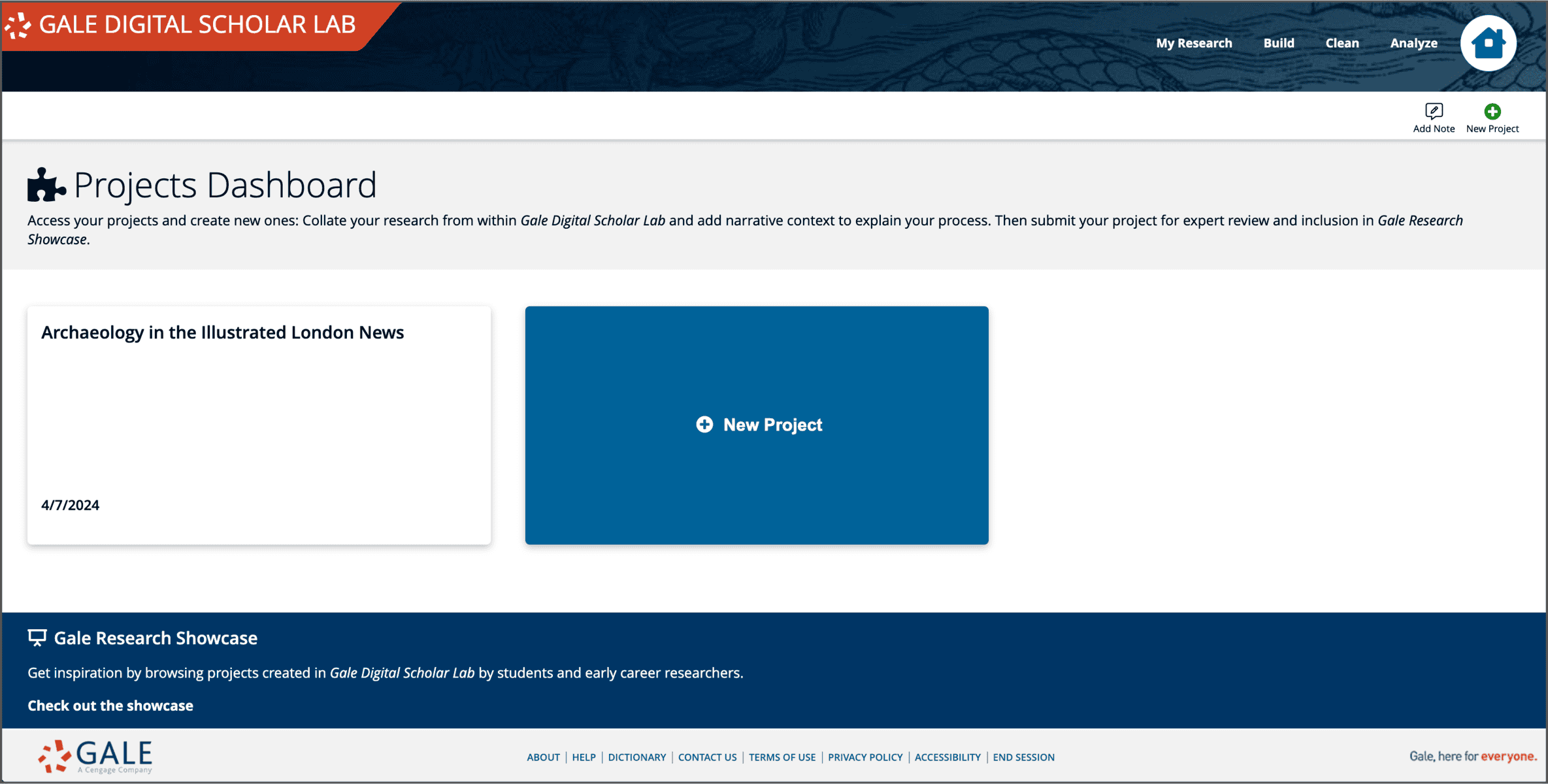
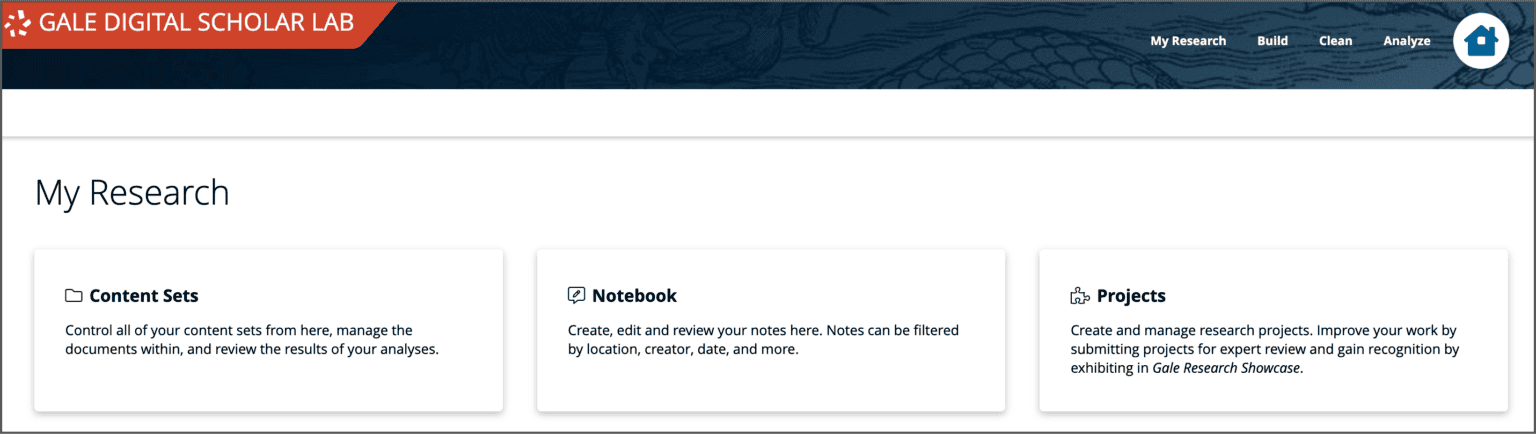 The Projects workspace is accessible via the ‘My Research’ link in the Lab’s header. You’ll find links to Content Sets, Notebook and Projects on this page, providing an organizational overview of the work you have in progress or have completed in the Lab. Clicking through to the ‘Projects’ page takes you to the Projects Dashboard where you can revisit completed or in-progress projects, or begin creating a new one.
Working within the Projects area
The initial prompts for setting up a new project include adding a title and a brief abstract describing your project. The flow of the text is then constructed in blocks of headers and sections.
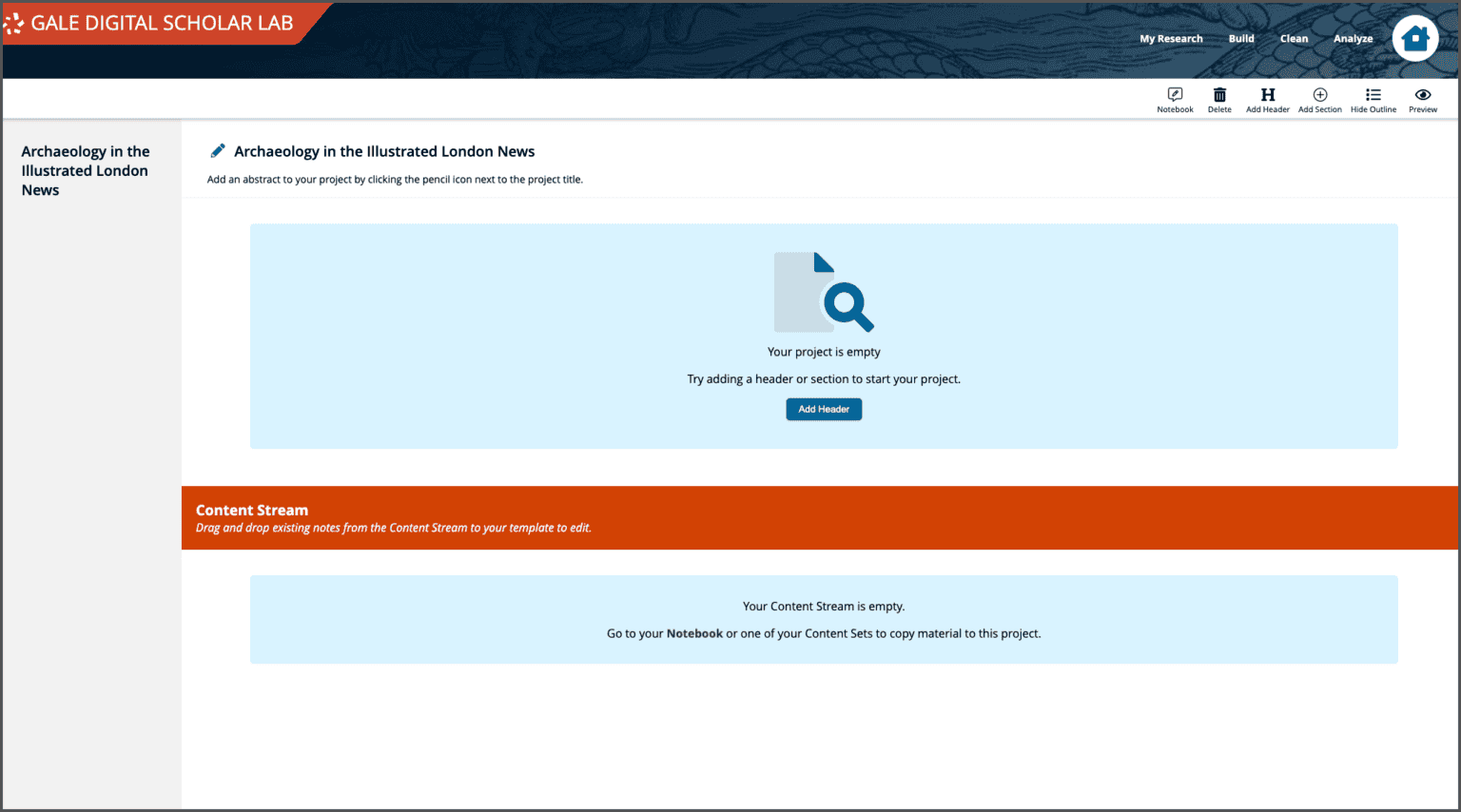
There is considerable flexibility within the Project workflow for styling and customising the flow of text, to include rich text formatting, and the inclusion of links to external resources.
Click Add Section. Enter a Subheader if desired, and enter body text.

Starting from your Notes
Adding to the Project Content Stream from the Notebook or a Content Set provides an additional avenue to link notes about ongoing data curation and analysis to the Project narrative.
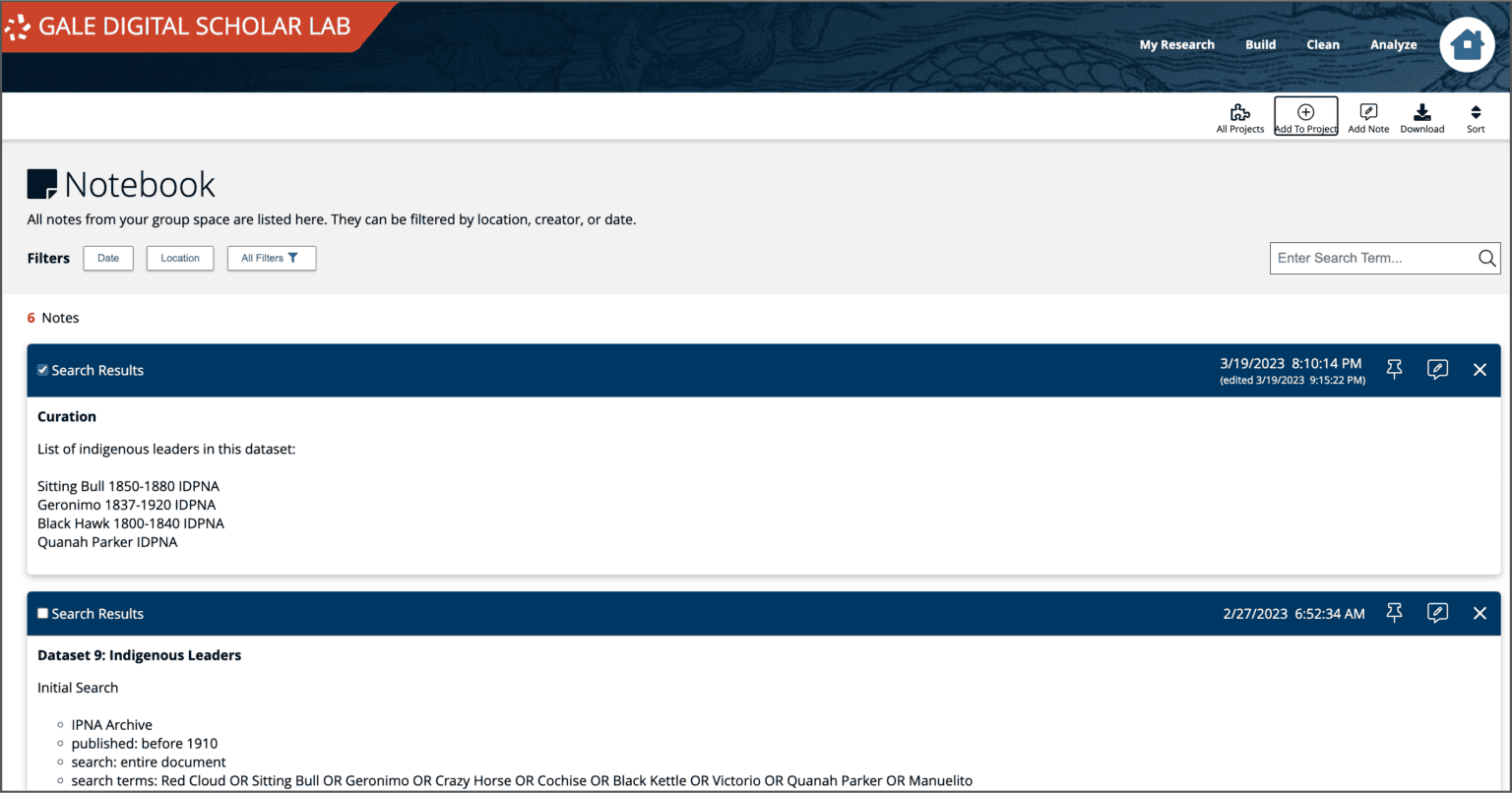
A researcher can select relevant notes to send to the Project space by checking the box and clicking ‘Add to Project’. These notes will then appear below the main text body in the Project workflow, ready to be drawn into the flow at the appropriate point.

Your added Notes and Visualizations will appear below the "Content Stream" border. Move each item up into the main section, where you can then edit or reorder your text.
Making changes in the Projects area does not impact the original Notes in your Notebook space.
Once writing is completed, projects can be previewed and exported by selecting ‘Preview’ from the Project header bar.
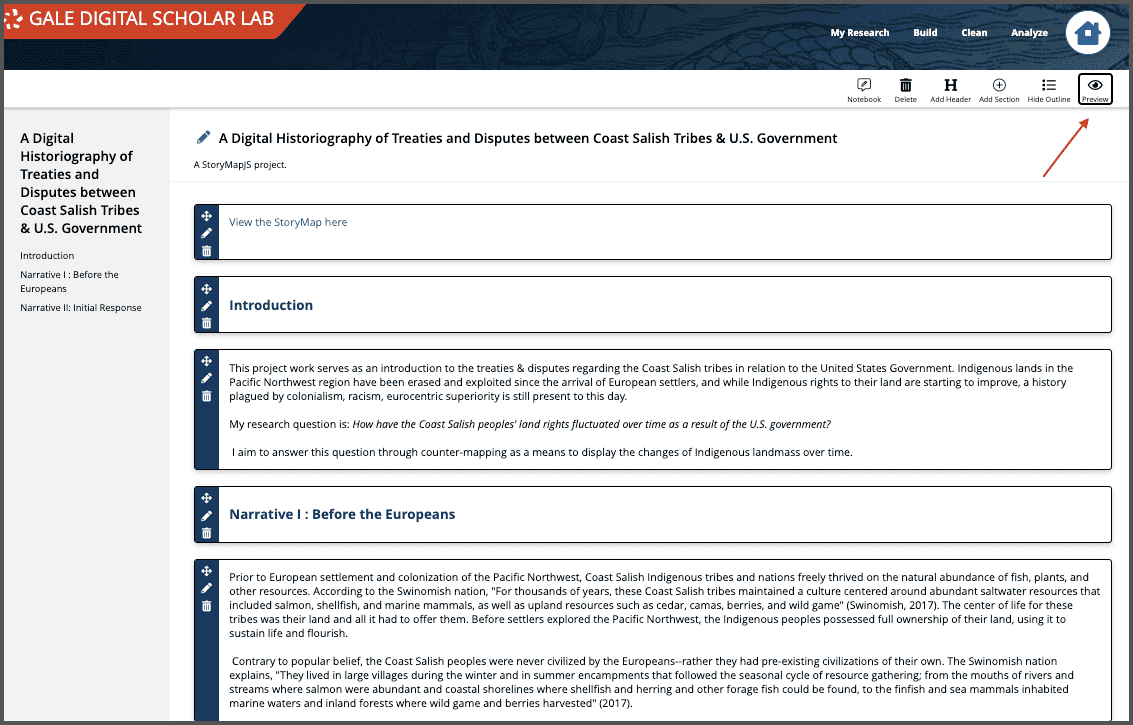
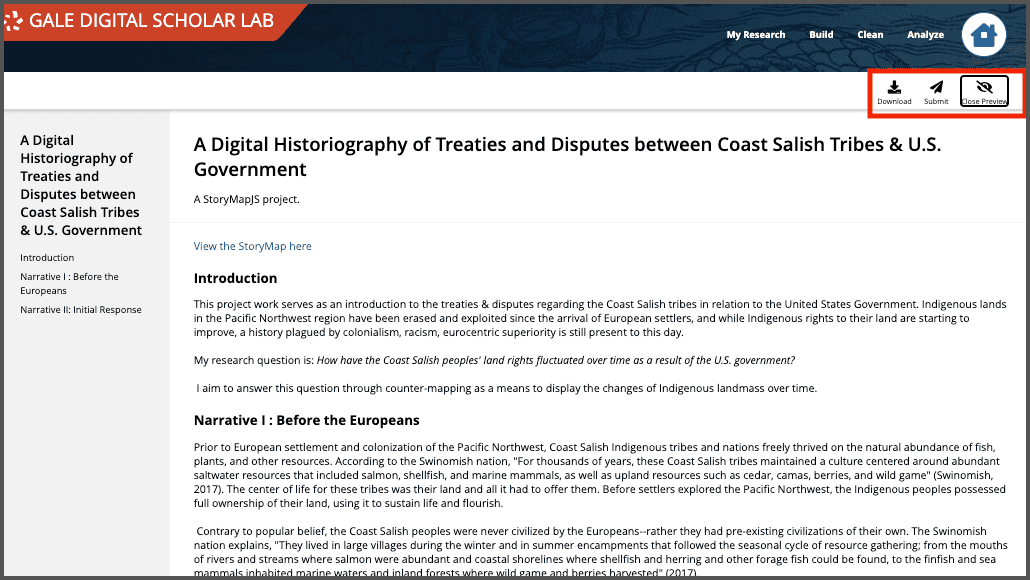
On the Preview page, a researcher can evaluate whether the Project is structured appropriately and if further edits need to be made, can return to the previous web page to continue work. If the piece is complete, it can be downloaded in PDF format by the researcher by clicking the ‘Download’ button in the header bar. There is also the option to submit the Project for inclusion in the Gale Research Showcase, by choosing the ‘Submit’ button.
Building Projects in Gale Digital Scholar Lab (April 23, 2024 blog post by Sarah Ketchley)